 |
|
|
|
|
 |
 |
 |
|||
|
|
MailGate Support Issues Q. Can I use Norton LiveUpdate through MailGate? A. As long as you have the Web Proxy enabled then LiveUpdate will work fine via MailGate. 1) Start Norton AV LiveUpdate. 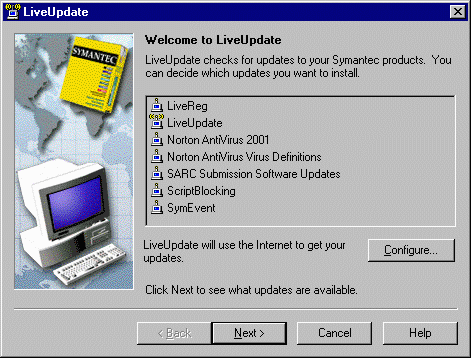 2) Click on Configure, then select the Proxy tab. 3) You can choose to use the Internet Explorer settings... 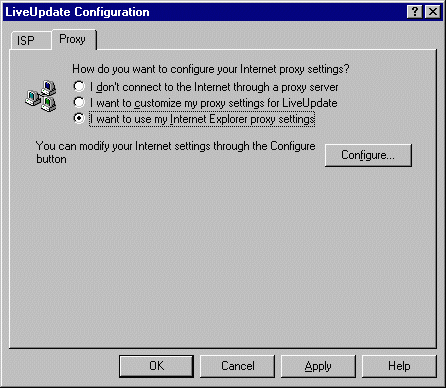 4) ...or you can use the Custom Proxy settings. Just point to the IP address of MailGate, and the Web port - usually 80 (in MailGate click on Gateway | Setup | The Web tab to confirm your HTTP port setting). 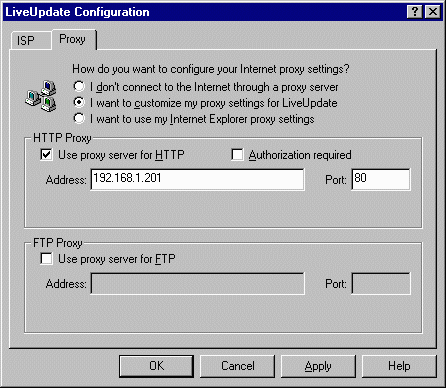 5) Click OK, and continue with LiveUpdate.  Return To FAQ Return To FAQ |
 |
|
|


