 |
|
|
|
|
 |
 |
 |
|||
|
|
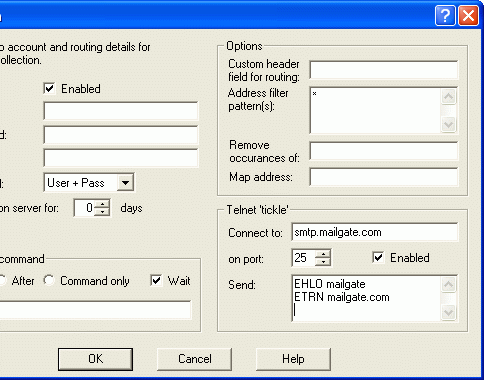
MailGate Support Issues Q. How do I set up MailGate to use ETRN? A. If you need to collect mail via an SMTP feed from your ISP rather than POP3, refer to the options described below. NOTE: Different ISP's have different requirements for initiating an SMTP feed. Check with your ISP concerning their specific requirements (eg. name of server to connect to, port to connect on, commands to pass). In MailGate, click on Gateway | Setup | POP tab, and click the ADD button. Check the "Enabled" box in the top-left corner. There are 2 common ways of initiating an SMTP based mail collection... 1) If your ISP provides you with an application that needs to be run, use the "Run External Command" field and type the path name to the application in here. (See MailGate help file for more details) 2) If your ISP requires commands to be passed (ETRN), follow the instructions below:
  Return To FAQ Return To FAQ |
 |
|
|


